
February 14, 2026
How to Change App Name in Flutter
This blog is about how to change the app name in Flutter projects.
App Name
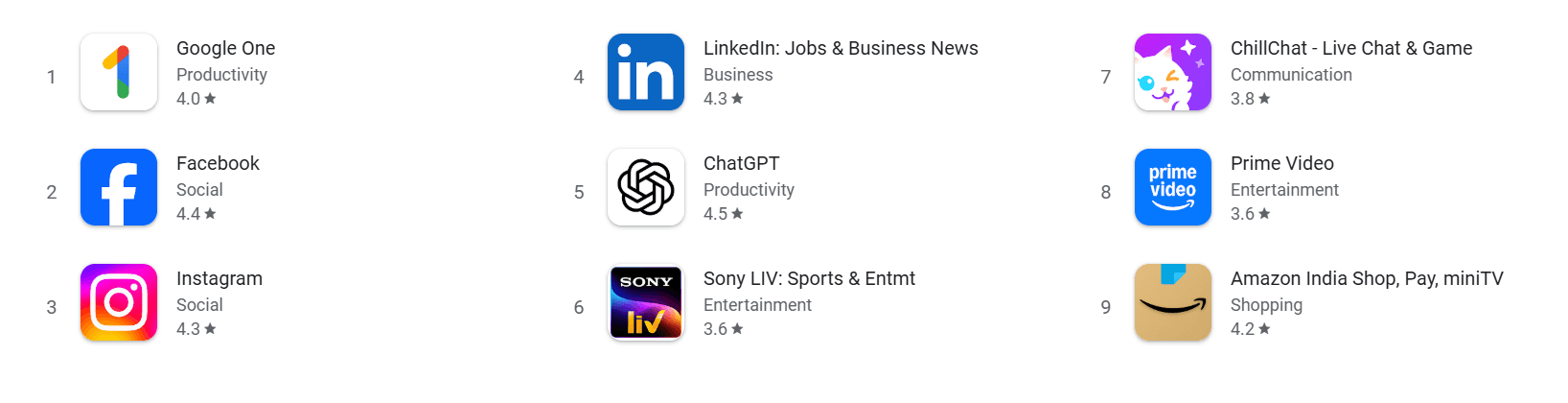
- Usually, when you download any app from the Play Store, the app will have its own unique name for identification.
Locate Where the App Name Comes From
- When we create a new project, the app name is the same as the project name.
- So first, we need to understand where this name comes from.
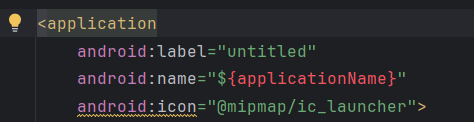
- The app name is defined in
android/app/src/AndroidManifest.xml. - In the
AndroidManifest.xmlfile, under the<application>tag, you will seeandroid:label. - This value is your app name.
Change the App Name
- There are two ways to change the app name:
Direct wayEfficient way
Direct Way
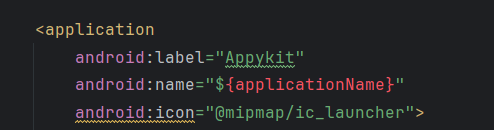
- Just assign the app name directly to
android:label, like this:
android:label="Appykit"
Efficient Way
- Instead of directly assigning the name, we should think about scalability and other use cases.
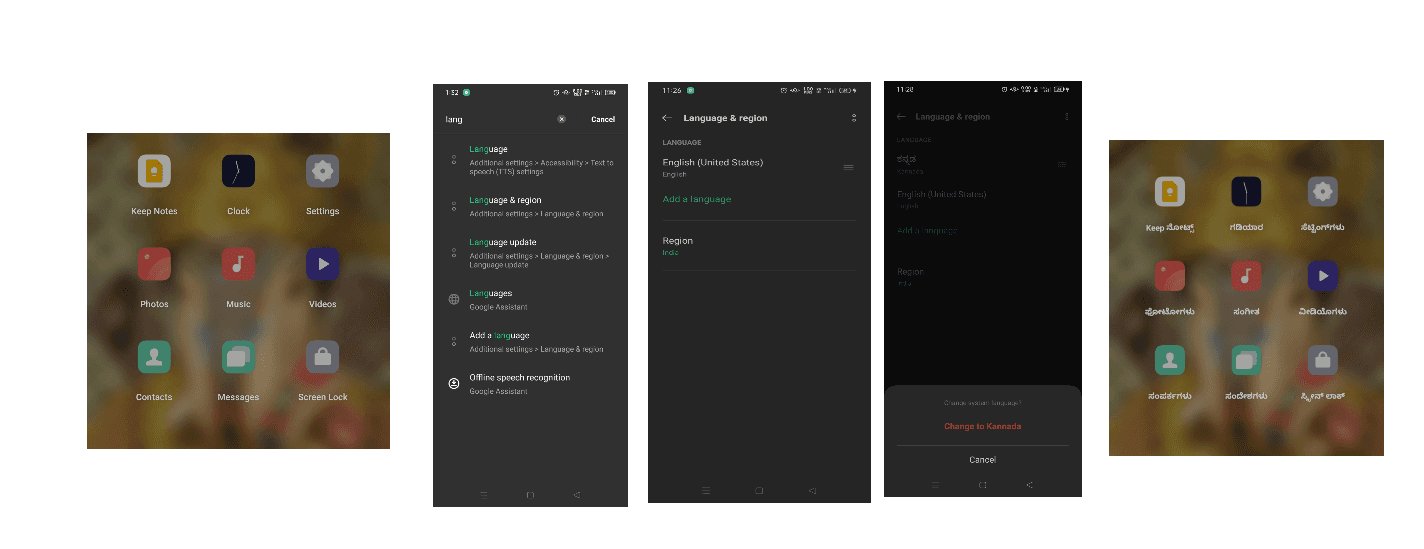
- Quick activity: Go to your phone settings and change the language.
- After the language is changed, come back and check the app names.
- You will see that system apps and some other apps show names in the selected language.
- This is possible only when the app name is stored in a separate file and linked indirectly in
AndroidManifest.xml.
Create a File to Hold the App Name
- Navigate to
android/app/src/res/values. - Right-click on the
valuesfolder and create a new file namedstrings.xml. - Inside the file, add the below lines and put your app name inside the
<string>tag.
<?xml version="1.0" encoding="utf-8"?>
<resources>
    <string name="app_name">Appykit</string>
</resources>
Link to AndroidManifest.xml File
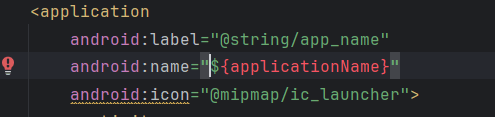
- Link
android:labelto respective path asandroid:label="@string/app_name"
Recommended for you
Feb 14, 2026
How to Change App Icon in Flutter
This blog is about how to change the app icon in Flutter projects.
Feb 20, 2026
Why Your Flutter App Breaks When Font Size Increases
Have you noticed that when you increase font size in your phone settings, most Flutter apps break but Swiggy doesn’t? In this blog, we break down how textScaleFactor works in Flutter and how apps override it.